Industrial VS Desktop FDM Printers: Is Industrial Worth the Investment?
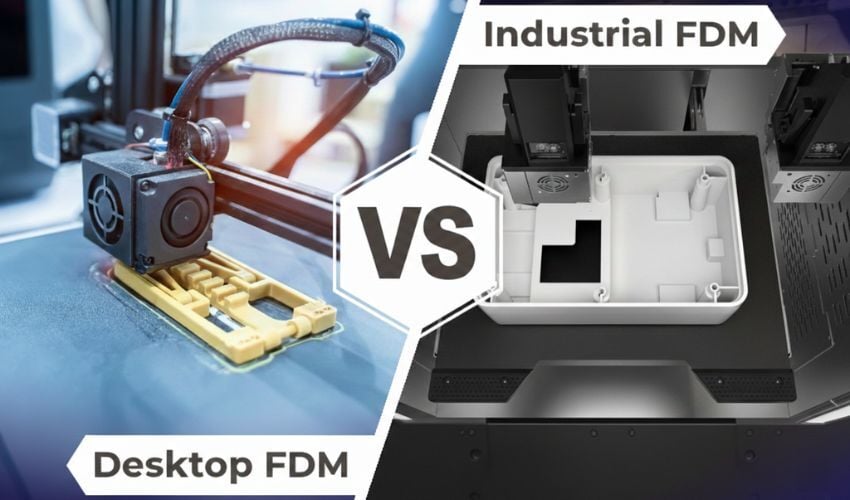
For years, a massive divide separated industrial and desktop FDM printers, defined by differences in accuracy, material compatibility, and cost. Today, desktop manufacturers are aiming to narrow that gap, and a new generation of “prosumer” machines from companies like Bambu Lab and Prusa has democratized features once exclusive to the industrial sector, including high-speed motion systems, automated calibration, and reliable dual extrusion. So, what continues to set industrial machines apart? In this article, we compare architecture, thermal control, materials, software, and pricing to help you understand what makes an industrial machine worth the investment.
Technical Characteristics
Systems Architecture
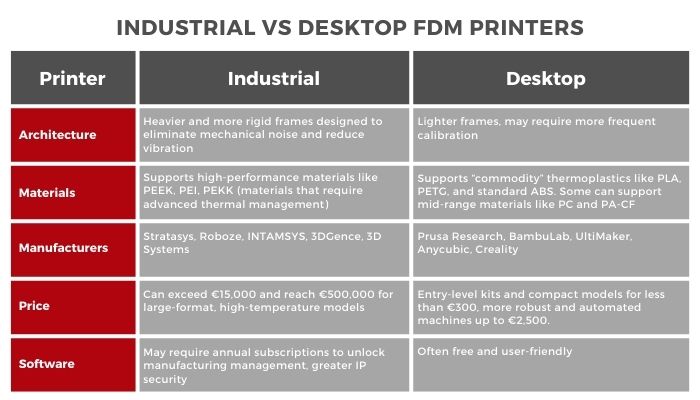
One of the primary ways industrial and desktop FDM printers differ is in their construction. Industrial printers are constructed with significantly heavier and more rigid frames designed to eliminate mechanical noise. Industrial machines should not experience vibration issues and require no stabilizers to print tall, thin geometries. Plus, the vibration can create microscopic imperfections that drastically weaken a part, particularly in the Z-direction (vertical strength).
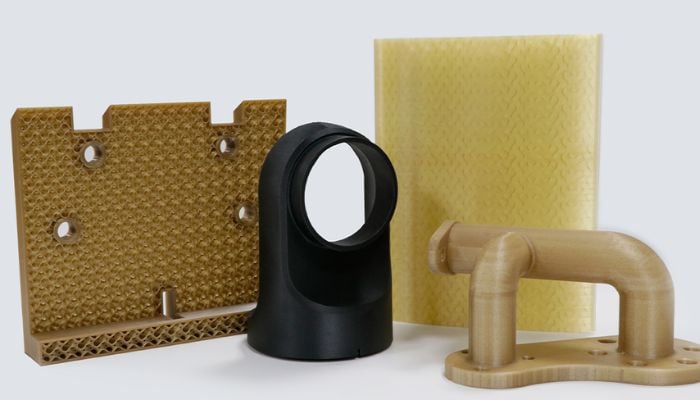
Parts printed in PAEK (Photo Credits: INTAMSYS).
Beyond the chassis rigidity, industrial and desktop FDM printers can vary in their calibration and motion system (which determines the precise movement of the print head and build plate). The motion systems in industrial machines are designed for high precision and low maintenance. Due to their robust size and construction, industrial machines maintain their calibration over long periods, whereas desktop printers may require frequent user intervention and recalibration to maintain accuracy. The average precision (dimensional accuracy/tolerance) for a standard desktop FDM 3D printer is typically ±0.5 mm, while high-end industrial FDM printers often achieve tolerances around ±0.2mm.
Thermal Management
Thermal control in an FDM machine refers to the management of the temperature inside the print chamber. There are two main methods: passive and active heating. Passive heating, commonly used in desktop systems, involves using the heat generated by components such as the nozzle and build plate to raise the internal temperature. Although this is an efficient way to use energy, the temperature distribution is uneven and can influence the behavior of the material in response to this temperature change. However, it is important to note that there are currently closed desktop printers, generally priced above €1,000, that incorporate active heating chambers.
In the industrial field, systems implement actively heated print chambers, an indispensable feature for processing engineering materials. Here we find external elements such as heaters or thermal pads to maintain a constant temperature without fluctuations. By stabilizing the ambient temperature of the chamber close to the temperature required by the material, internal stresses are minimized and the material is allowed to “relax” in its printed state, eliminating the risk of deformation and ensuring better adhesion of the layers.
Print Speed
In terms of speed, the most advanced desktop printers boast accelerations of up to 20,000 mm/s2. However, these speeds are achieved over long distances and for simple parts. Industrial printers, on the other hand, are designed to maintain a uniform and continuous flow. This means that they focus not only on how fast they print, but also on how many grams of material they can deposit in a limited time without errors.
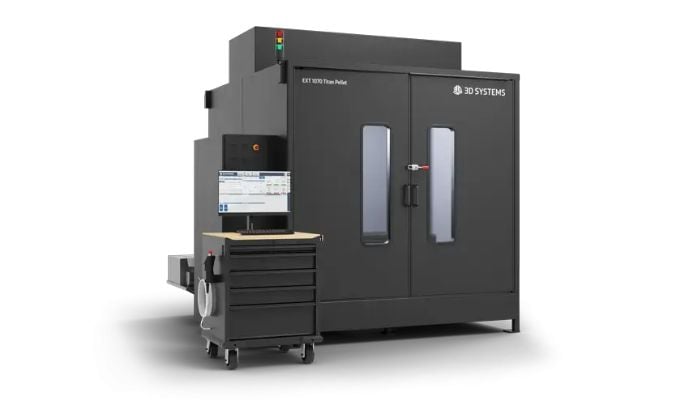
The EXT-1070 Titan Pellet is designed with a welded steel frame and an industrial housing with active heating (Photo Credits: 3D Systems).
Print Volume
The build volume defines how large a print can be without having to cut it into small pieces. This feature is not exclusive to one type of FDM printer, as there are large-format machines that are not necessarily industrial and compact machines that are.
Materials
The distinction between materials used in desktop and industrial FDM printers is defined by the intersection of material properties and machine parameters. While the line between these categories is blurring, compatibility ultimately depends on whether a printer can meet the specific thermal and structural demands of a polymer:
- Standard & Commodity Materials: Desktop printers typically excel with “commodity” thermoplastics like PLA, PETG, and standard ABS. These are engineered for ease of use, requiring lower extrusion temperatures and minimal environmental control. Their affordability makes them the go-to choice for visual prototypes and hobbyist projects. In fact, some industrial solutions struggle with these materials. For instance, industrial machines may struggle to process PLA because their enclosures trap too much heat, which can cause softening and deformation in the print.
- The “Prosumer” Bridge: Many modern desktop systems can now support mid-range engineering materials, such as Polycarbonate (PC) and Carbon Fiber-reinforced Polyamide (PA-CF). However, success with these depends on the machine’s hardware—specifically its ability to reach higher nozzle temperatures and maintain bed adhesion.
- Industrial-Grade Polymers: High-performance polymers like PEEK, PEKK, and PEI (Ultem) warrant an industrial system because their material requirements are uncompromising. These materials demand precise thermal management, including: high-temperature all-metal hot ends (often exceeding 400°C), actively heated chambers, and reinforced extrusion systems to handle abrasive additives like carbon fiber.
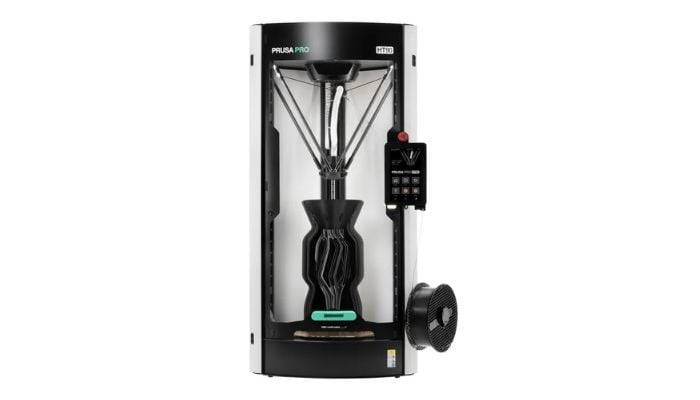
The Prusa Pro HT90 features an actively heated camera and interchangeable print heads, allowing it to work with PLA as well as high-performance PEI-Ultem (Credit: Prusa Research).
Ultimately, while desktop units are increasingly capable, industrial printers are required for applications in aerospace, automotive, and medical sectors where thermal stability, chemical resistance, and mechanical integrity are non-negotiable.
While desktop and industrial systems often share common material categories (such as ABS and Nylon), the specific formulations often differ. Industrial manufacturers, such as Stratasys, develop proprietary material portfolios engineered to be stronger and more reliable than generic filaments. However, this reliability comes with a price; build materials for industrial machines can cost 5 to 6 times more than consumer-grade filaments. Common materials like PLA can cost $10-$20/kg, while industrial filament may cost from $100 to over $200 per kilogram.
Manufacturers
The FDM printer market is undoubtedly the largest in the 3D printing sector. The industrial segment is dominated by giants with decades of experience. Stratasys, the first company to commercialize the FDM process, remains the benchmark with large-format printers for the most demanding sectors. More recently, Roboze has stood out for its high-precision solutions, capable of processing high-performance polymers and composites for applications in the aeronautics, defense, and mobility sectors. Other major manufacturers include INTAMSYS, 3DGence, and 3D Systems, the latter with printers focused on pellet extrusion for industrial environments.
For its part, the desktop printer market has experienced significant growth driven by the democratization of digital manufacturing. Manufacturers such as Prusa Research managed to consolidate a large share of the market thanks to the reliability of their equipment and their initial commitment to the open source philosophy, although in recent years the company has evolved towards a more closed model. UltiMaker has geared its offering towards professional and educational environments with easy-to-use equipment. In the more accessible segment, companies such as Creality and Anycubic have popularized 3D printing with easy-to-assemble solutions. Since 2022, Bambu Lab has burst onto the scene with high-speed and automated offerings, raising performance expectations within the desktop market.
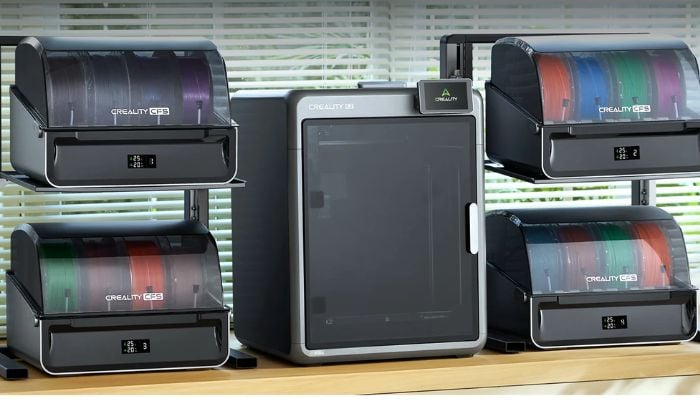
The Creality K2 is designed for multicolor and multi-material printing (Photo Credits: Creality).
A key factor driving interest in industrial solutions is their focus on repairability and qualifications. Unlike desktop systems, industrial machines are designed to integrate into plant workflows, incorporating regulatory hardware such as status indicators and complying with the certifications required in an industrial environment. In addition, their architecture typically offers greater technical access for preventive maintenance and repairs, maximizing operational availability.
Price
FDM technology is often associated with the idea of cheap 3D printing. This is true in the case of the most basic desktop solutions. However, leading manufacturers such as Creality, Anycubic, Bambu Lab, and Prusa no longer offer a single price range, but rather solutions for different budgets. This means that it is possible to find entry-level kits and compact models for less than €300, as well as more robust and automated machines that cost up to €2,500.
On the other hand, if you are looking for industrial machinery capable of operating in environments such as automotive or manufacturing, prices rise considerably. Industrial solutions can easily exceed €15,000 and reach €500,000 for large-format, high-temperature models. In addition, these machines often require mandatory annual maintenance contracts, which increase the investment even further. It should be noted that the prices of industrial FDM printers are not always displayed on manufacturers’ websites; therefore, it is necessary to contact the manufacturer or distributor to obtain a quote.
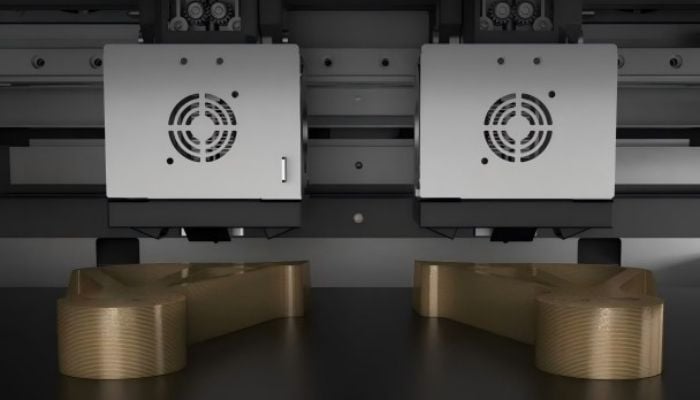
Independent dual extrusion system optimized for PAEK (Photo Credits: INTAMSYS).
In addition to hardware investment, software licenses and data security represent a recurring operating cost that differentiates the two types of printers. While desktop machine software is often free, industrial solutions require annual subscriptions to unlock manufacturing management. For example, licenses such as GrabCAD Print Pro can cost up to $5,000 per user per year. This additional cost ensures regulatory compliance and data encryption, which is critical in defense or advanced engineering sectors where the use of open systems can pose a risk.
Do you think industrial printers are worth the investment? Which type of printers do you use? Let us know in the comments below or on our LinkedIn and Facebook pages. Plus, sign up for our free weekly Newsletter to get the latest 3D printing news straight to your inbox. You can also find all our videos on our YouTube channel.