



From 10-Million-Face Meshes to Part Separation: Hyper3D Moves AI Into Print Preparation
AI-generated 3D models have come a long way, but creating a model is only the beginning of the 3D printing process. A digital asset still needs to be edited, repaired, prepared for fabrication and, in many cases, divided into multiple printable components before it can become a physical object.
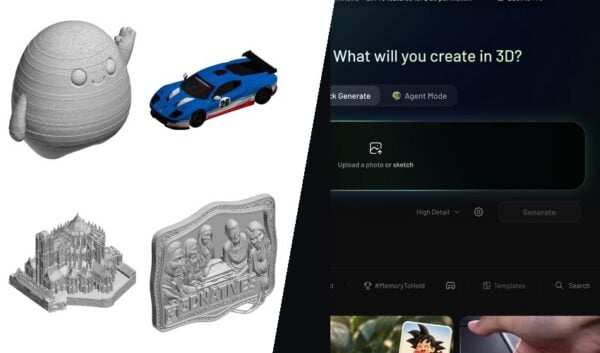
Hyper3D, a generative 3D platform developed by Deemos, used Formnext Asia Shenzhen to argue that AI should handle those steps too. Around its Rodin Gen-2.5 generation model, the company showed tools that rebuild a messy mesh, edit specific regions of a finished model with a prompt, split a complex object into parts that fit on a print bed, and assign colors for multi-color 3D printing workflows.
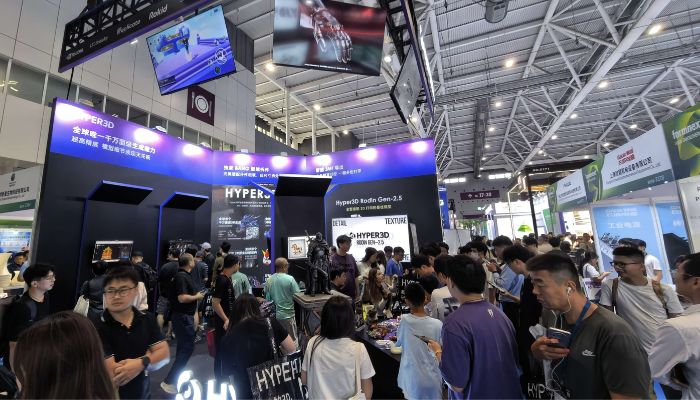
Hyper3D’s stand at Formnext Asia Shenzhen 2026. Photo Credit: Hyper3D
From AI generation to high-resolution geometry
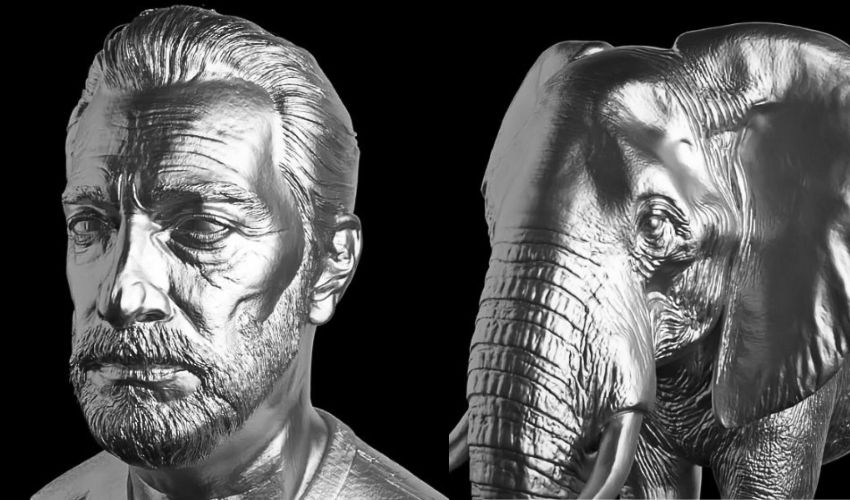
A 3D model that looks realistic on screen does not necessarily contain enough geometry to reproduce the same level of detail as a physical object. Textures and normal maps can make bumps and grooves look three-dimensional even when those details are not actually part of the mesh. A printer has only the geometry to work with.
Rodin Gen-2.5, released in May, offers five levels of geometry generation. The lowest setting, Extreme-Low, is designed for rapid ideation. Hyper3D puts generation times there at roughly four seconds. At the other end, Extreme-High can produce meshes with up to 10 million faces. The three levels in between trade geometry against file size and processing time. Medium is positioned as the balance for applications such as figurines, props and prototypes, while the higher-density settings suit detailed sculptures, collectibles and high-resolution resin prints.
More faces are not automatically better. A mesh with 10 million faces carries an enormous amount of geometric information, but it also makes the file heavier to store and more demanding to process and slice. For many 3D printing projects, particularly smaller consumer prints, that level of detail is unnecessary. What matters is having enough geometry to capture the details that will actually show up in the final print.
Qixuan Zhang, CTO of Deemos, has described the model as going “from million-polygon generation in seconds to raw outputs exceeding 10 million polygons.” This gives users a much wider range of geometric detail to work with, from fast, lightweight models to highly detailed meshes.
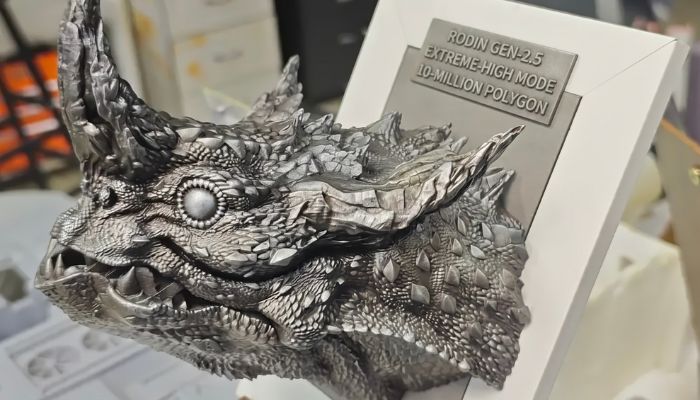
This dragon head was generated in Extreme-High mode and printed directly, with no manual editing or post-processing. Photo Credit: Hyper3D
Better topology, fewer manual fixes
Topology is the other half of the problem. It refers to how the individual polygons in a 3D mesh are arranged and connected, and that underlying structure matters when a model needs to be edited or prepared for printing. Disorganized triangles, gaps or overlapping geometry can create problems during preparation, even when the model looks perfectly clean in a viewport.
Hyper3D’s Smart Low-Poly feature rebuilds the mesh around the object’s structural features and supports both triangular and quad-based outputs. For anyone who plans to modify a generated model instead of printing it as-is, cleaner topology provides a better starting point for making changes, such as thickening a region, adding holes or adjusting the model for supports. It also lightens the computational load on the slicer.
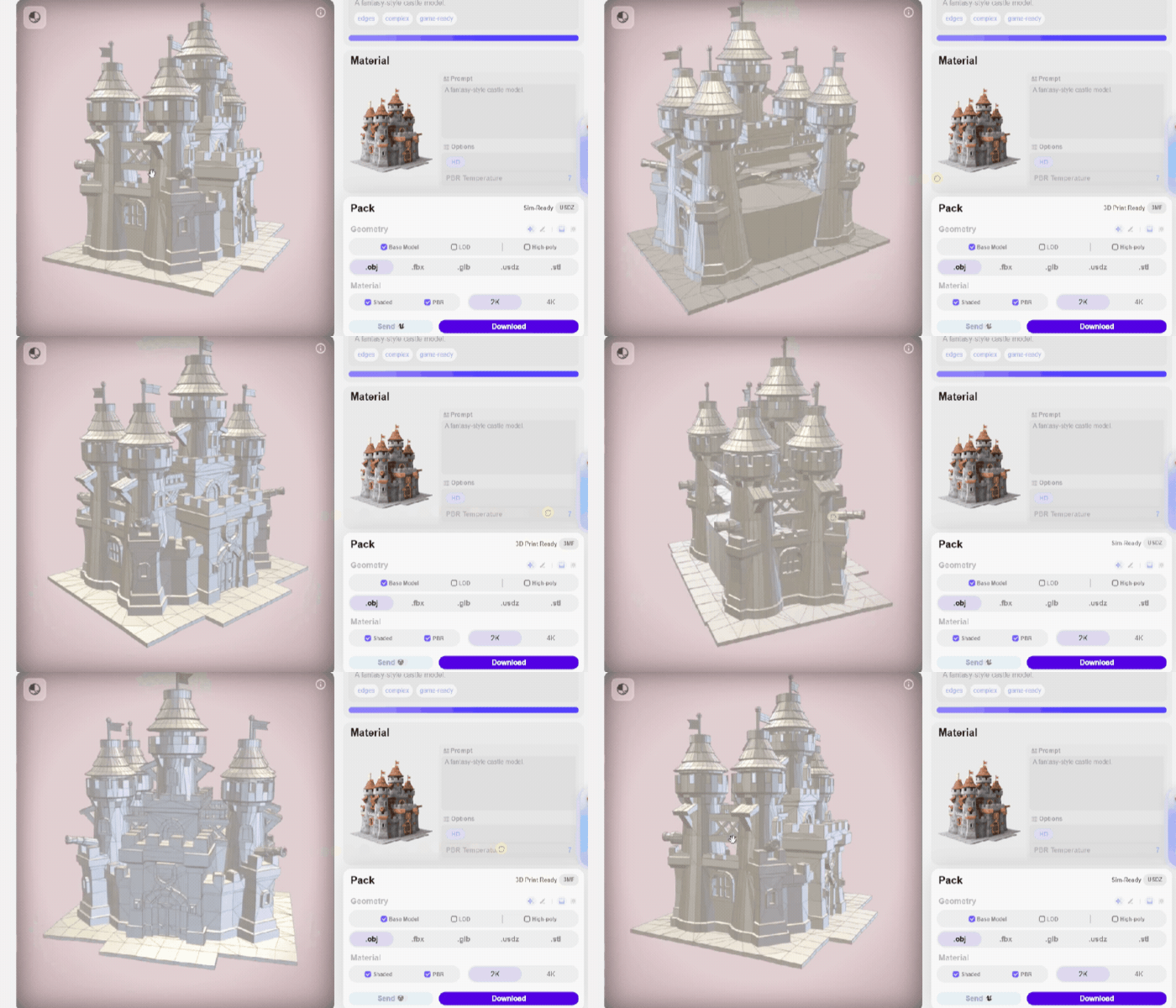
Smart Low-Poly rebuilds the mesh around the object’s structural features. Photo Credit: Hyper3D
Editing one region without regenerating the model
Design work rarely succeeds in the first generation. A figurine might need a different accessory, or a product model might need one structural area revised while everything else is right. In most AI 3D workflows, making that change means regenerating the whole model and losing the parts that were already correct.
Local Editing, also referred to by Hyper3D as Local Modify and Partial Redo, was introduced earlier this year, and works differently. Users can select a specific region and modify it with a prompt while leaving the rest of the asset intact. The loop becomes generate, inspect, edit, refine, print, rather than generate and regenerate.
Turning complex models into printable parts
Some models are simply too large or complex to print as a single piece. Build volume, overhangs, support requirements and the need for assembly can all make it more practical to divide a model before printing. Traditionally, that has meant manually cutting the mesh in a 3D modeling program and then checking whether each resulting piece is suitable for printing.
Hyper3D’s BANG part-separation tool automates much of this process by analyzing a model’s geometry and dividing it into separate, closed components. The process can also be repeated recursively, so a character could be split into a body, head and accessories, with any of those parts divided again or refined to add more geometric detail.
Once separated, each component can be oriented independently to make better use of the build volume and reduce overhangs. Large objects can be divided into sections that fit on the print bed, while separate components make post-processing, painting and final assembly easier. Depending on the design, parts can be joined with magnets, connectors or other mechanical features. This is where AI-generated models move beyond appearance and into design for manufacturing.
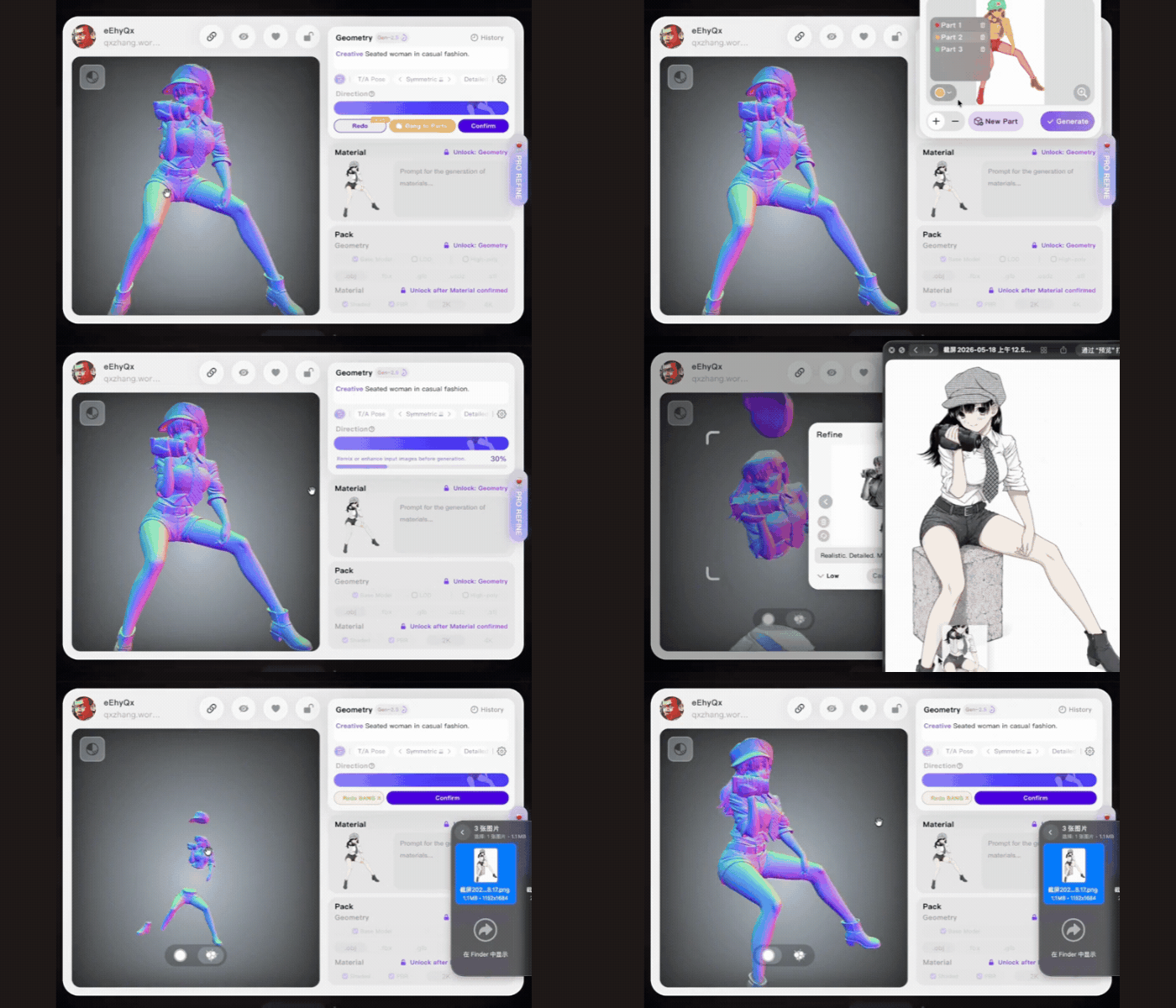
BANG divides a character into independent, closed components that can be split again. Photo Credit: Hyper3D
Preparing models for multi-color printing
As multi-color systems become more accessible, assigning colors by hand in a slicer adds another layer of preparation. On a detailed model that can mean defining a large number of surface regions. Three things tend to go wrong. Colors land on the wrong area, regions get missed and boundaries fall where the geometry does not change.
Hyper3D’s intelligent color separation identifies regions from a model’s visual and structural information. Users set how many color regions they want and preview the result before exporting. The export format is 3MF, which, unlike STL, carries color and material data alongside the geometry.
For a print farm, reducing manual separation and color assignment work can have a direct effect on throughput.
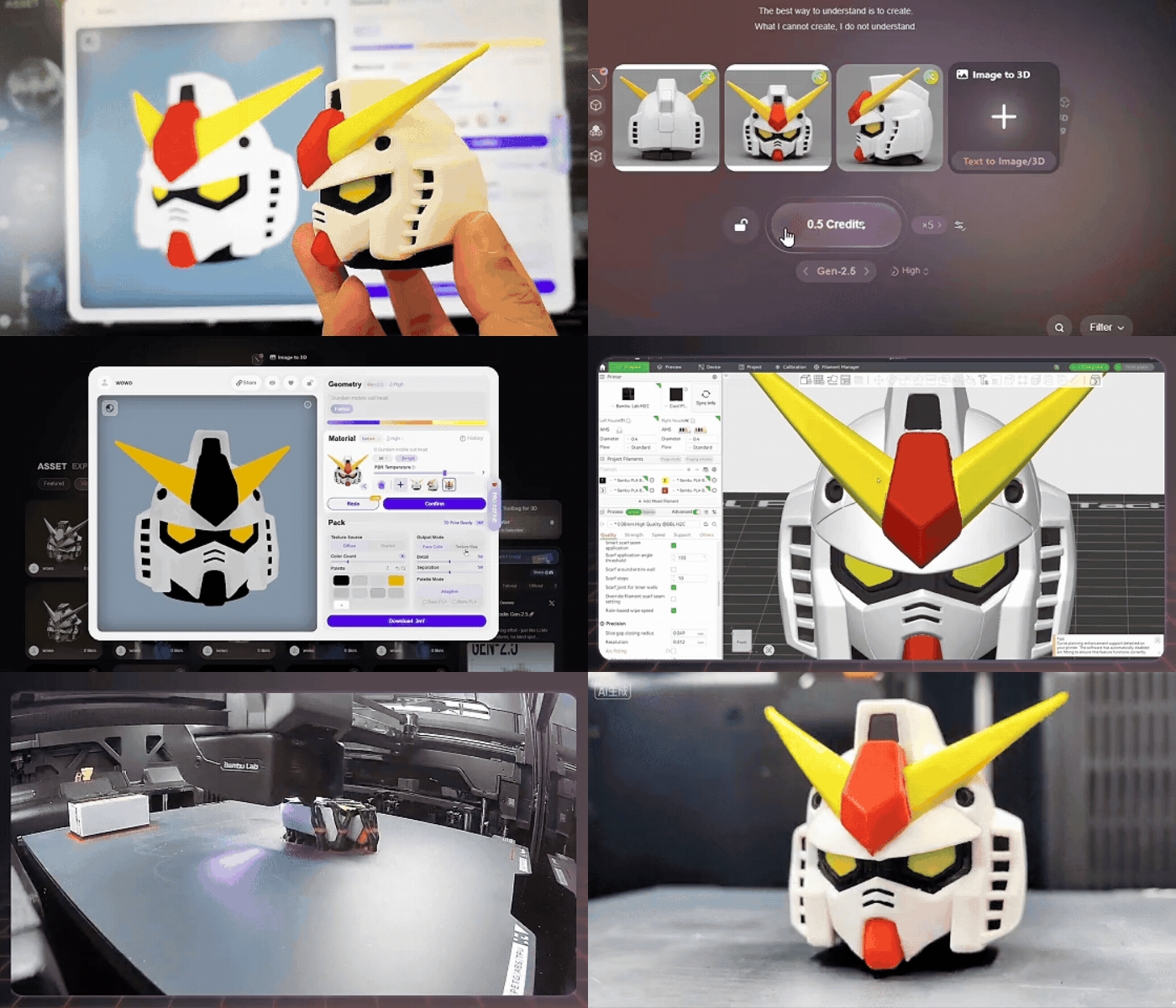
Color regions assigned in Hyper3D and carried through to a multi-color print. Photo Credit: Hyper3D
Is AI becoming a production tool?
Taken end to end, the workflow accepts text, a single image or multi-view references and exports to 3MF, STL, OBJ, FBX and GLB, covering both 3D printing and the wider content pipeline. It also accepts third-party models for repair, retopology and separation, not only assets generated inside Hyper3D.
Rodin Gen-2.5 is also available through Bambu Lab’s MakerWorld MakerLab image-to-3D workflow, putting the technology directly in front of desktop users where they already prepare and share files. That integration matters commercially because it positions Hyper3D as part of the processing layer between generation and fabrication. Whether it stays there depends on how many other ecosystems follow MakerWorld.
Hyper3D is not the only company moving in this direction. Tencent’s Hunyuan 3D Part offers automatic part segmentation, and several other generative 3D platforms now ship watertight output and automatic splitting of oversized models as standard. Hyper3D’s approach, however, places particular emphasis on controllability after generation.
Its 3D ControlNet lets users constrain proportions and geometry with bounding boxes, voxel grids or point clouds, while Part Separation can be performed automatically or manually. Local Editing goes a step further by allowing users to modify selected regions of an existing model with prompts while keeping the rest of the asset intact.
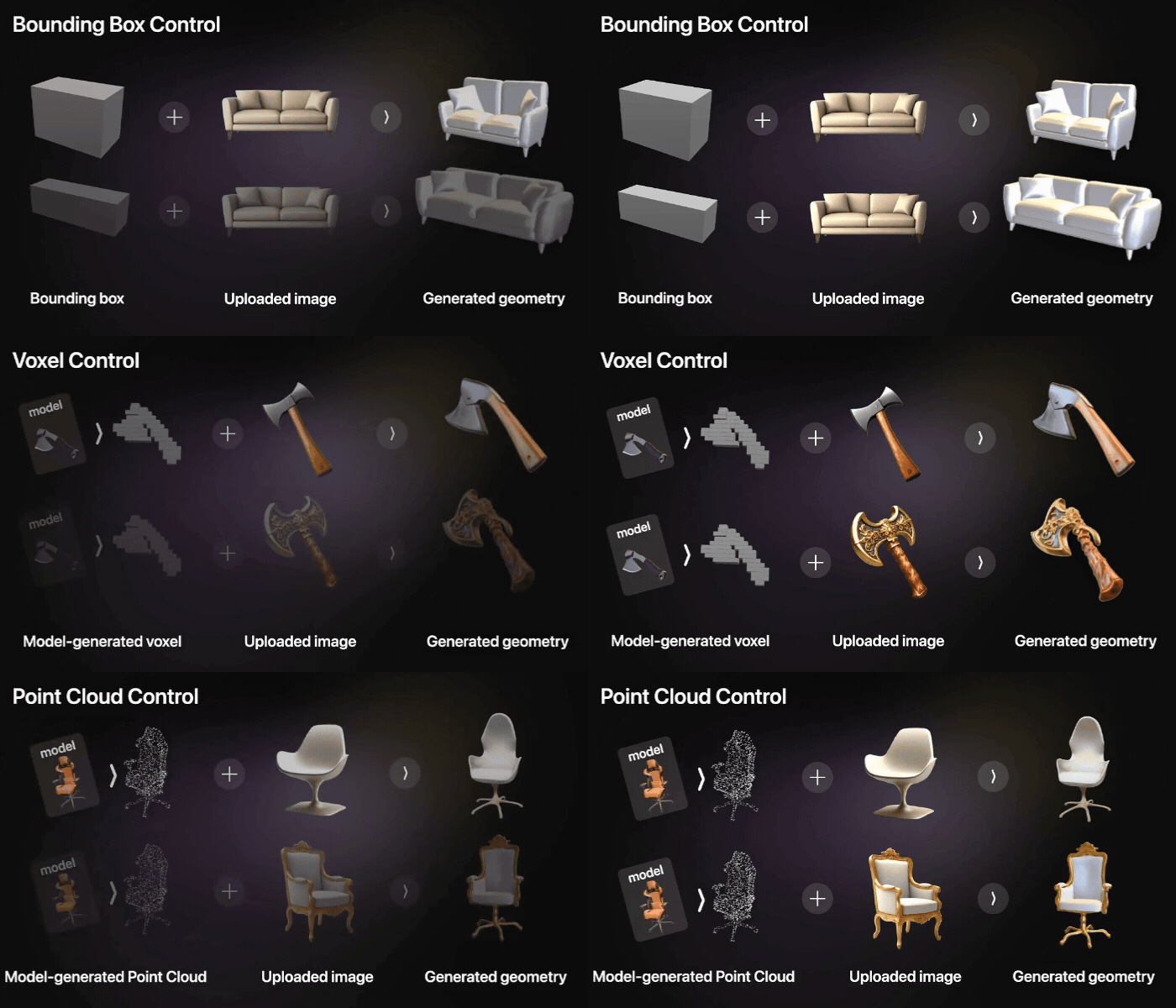
The same reference image constrained by two different bounding boxes, one of several ways 3D ControlNet can shape a generation, alongside voxel grids and point clouds. Photo Credit: Hyper3D
As consumer 3D printers become faster, cheaper and increasingly capable of multi-color printing, the bottleneck shifts from hardware to the supply of usable, printable content. Conventional 3D modeling still carries a significant learning curve and cost, leaving room for tools that can bridge the gap between generation and fabrication.
The remaining question is consistency. How reliably can these tools handle complex geometry, separate models into genuinely printable parts and reduce manual cleanup? Shenzhen showed the workflow exists. Whether print farms are running on it is a question for the next edition.
Want to try it out for yourself? Hyper3D is providing a 14-day free trial of Rodin Gen-2.5. Use the promo code 3DNATIVES at sign-up.
Have you printed an AI-generated model? Let us know in a comment below or on our LinkedIn and Facebook pages! Don’t forget to sign up for our free weekly Newsletter here, the latest 3D printing news straight to your inbox! You can also find all our videos on our YouTube channel.
*Cover Photo Credit: Hyper3D