



How to Choose a 3D Printer: 9 Beginner Mistakes to Avoid
Knowing how to purchase a 3D printer has never been more important, or more confusing. There are now hundreds of machines on the market, from compact entry-level models to multi-material systems that would have been industrial equipment a decade ago. Spec sheets promise ever faster speeds and finer detail, and prices vary enormously. So, in this guide, we look at nine common mistakes beginners make when trying to choose a 3D printer, and what to look for instead. Avoid these, and you’ll be far more likely to end up with a machine you enjoy!
Mistake 1: Choosing on Price Alone
When you’re new to 3D printing, it’s natural to want to keep your first purchase low-risk, and the price tag is the easiest thing to compare. But choosing the cheapest machine can cost more in the long run, in money, time or both.
Lower-cost printers sometimes save money in ways that only become clear once you start using them. Components may wear out sooner, print quality can be less consistent, and features like enclosures, filament sensors or support for a wide range of materials may be missing. Some owners end up buying upgrades, such as a better build plate or nozzle, to get the results they wanted in the first place. Add in the time spent troubleshooting failed prints, and a bargain can lose its appeal
That doesn’t mean you need to spend a lot. Entry-level printers have improved significantly in recent years, and many affordable machines now include features that used to be reserved for premium models, such as automatic bed leveling and quick setup. At the same time, the most expensive printer isn’t automatically the best choice for a beginner, since you may pay for features you never use.
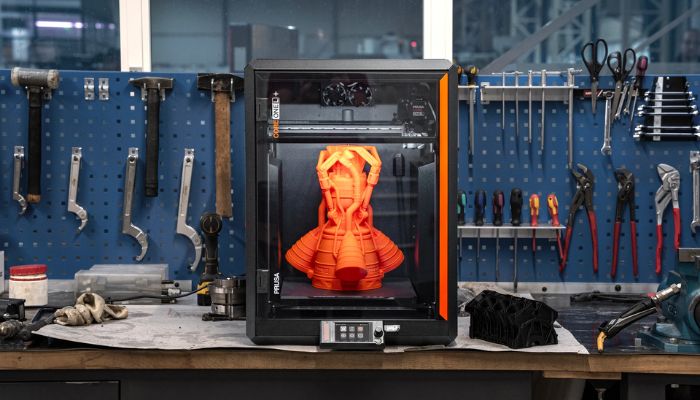
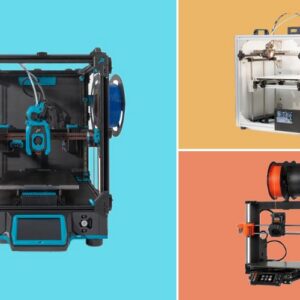
Photo Credit: Prusa
What to do instead: Set a budget, but compare printers on value rather than price alone. Look at how reliable the machine is, how easy it is to set up and use, and what support is available. Factor in the cost of getting started, including filament or resin and basic accessories (see Mistake 4). And check independent reviews to see how a printer performs in everyday use.
Mistake 2: Picking the Wrong Technology (FDM vs Resin)
Most beginners choose between two technologies: FDM (fused deposition modeling), which builds objects by melting and depositing plastic filament layer by layer, and resin printing (SLA, MSLA or DLP), which cures liquid resin with light. Both are affordable at entry level, but they suit very different projects.
FDM is generally the more versatile starting point. It can print larger objects, the materials are cheaper and easier to handle, and there is a huge range of filaments to explore, from standard PLA to flexible and engineering-grade materials. That makes it well suited to functional parts, household fixes, prototypes, organizers, cosplay pieces and larger models. The trade-off is visible layer lines and less fine detail.
Resin printers excel where detail matters. They produce very smooth surfaces and sharp features, which is why they’re popular for tabletop miniatures, figurines, jewelry patterns and dental models. However, they come with more steps and more care. Uncured resin is an irritant, so gloves and good ventilation are essential, and every print needs to be washed (usually in isopropyl alcohol) and cured with UV light afterwards. Build platforms are also typically smaller than on FDM machines.
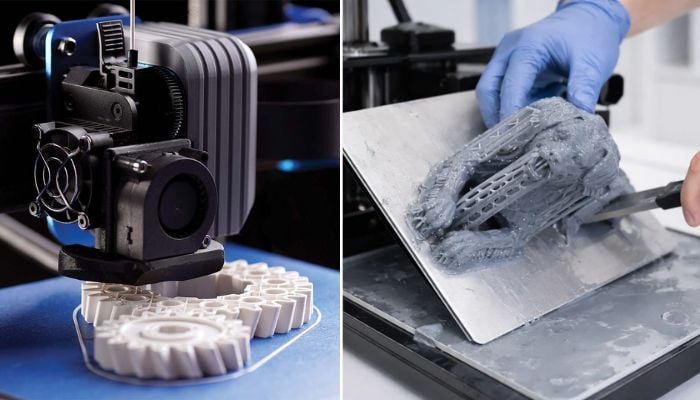
FDM printing is generally easier to get started with, while resin 3D printing allows for finer details. (Photo Credits: HLH Rapid (left), Siraya Tech (right))
What to do instead: Start with what you want to make, not the technology. If most of your ideas are practical, larger or need to be strong, FDM is likely the better fit. If you’re mainly interested in small, highly detailed pieces and don’t mind extra post-processing, resin may be the right choice.
Mistake 3: Getting the Build Volume Wrong
Build volume is the maximum size of object a printer can produce in one go, and beginners can misjudge it in both directions.
Buying too small is the more obvious problem. If your printer can’t fit the helmet, drone frame or storage box you had in mind, you’ll have to split models into pieces and glue them back together, which adds time and can leave seams.
But bigger isn’t automatically better. Large-format printers cost more, take up more space and use more energy. Sometimes, owners of large machines find that most of what they print would have fit on a standard-sized printer anyway.
For most beginners, a mid-sized machine is a sensible middle ground. Many popular entry-level FDM printers offer roughly 220 to 256 mm in each direction, which comfortably fits most household items, tools, organizers and models. Resin printers usually have smaller platforms, which suits their focus on detailed pieces.
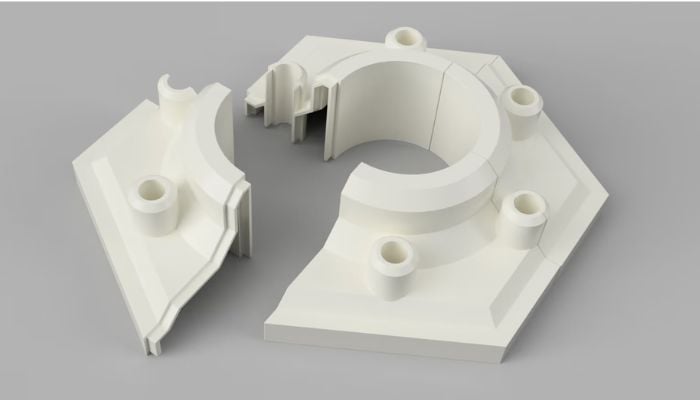
If you want to build parts than are larger than your build volume allows for, you can always print the part in pieces and assemble it afterward. (Photo Credit: Forge Labs)
What to do instead: Before you buy, list five things you’d like to print and estimate the size of the largest one. If it fits within a standard build volume, there’s no need to pay extra for a large machine. If you regularly need larger parts, it’s worth investing in more space from the start, but remember that many big models can also be split and assembled if they only come up occasionally.
Mistake 4: Forgetting the Extra Costs
The price of the printer is only part of what it costs to get started. Many beginners set their budget around the machine itself, then discover a list of materials, spare parts and accessories they hadn’t planned for.
The biggest ongoing cost is materials. FDM printers use spools of filament, and while standard materials like PLA are affordable, you’ll get through them faster than you might expect, especially in the early weeks when test prints are part of the learning process. Specialty filaments, such as flexible or engineering-grade materials, usually cost more.
Then there are the parts that wear out over time. On FDM printers, nozzles and build plates eventually need replacing, particularly if you print abrasive materials. Resin printers have their own consumables, such as the release film at the bottom of the resin tank.
Resin printing also comes with extra setup costs. You’ll need isopropyl alcohol or another cleaning solution, nitrile gloves, paper towels and somewhere to wash and cure prints. Many users invest in a wash-and-cure station, and some add an air purifier or ventilation solution.
Finally, a few accessories make life much easier whatever printer you choose: pliers for removing supports, a set of calipers for measuring parts, and an airtight box or dryer to keep filament from absorbing moisture.
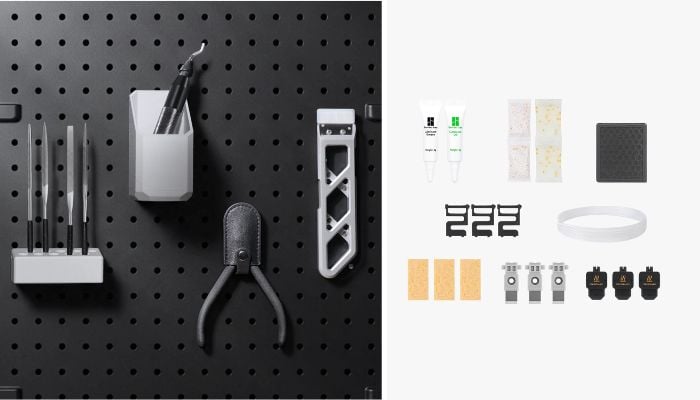
Beyond material costs, don’t forget other supplies you might need, like a finishing kit (right) or a maintenance kit (left). (Photo Credits: Bambu Lab)
What to do instead: Budget for your first few months of printing, not just the printer. Set aside money for a few spools of filament or bottles of resin, a handful of basic tools and, for resin, the cleaning and safety essentials.
Mistake 5: Overlooking Materials Compatibility
Most people start out printing in PLA, and almost any FDM printer can handle it. But as your skills grow, you may want to try other materials, and not every printer is equipped for them. Checking compatibility before you buy can save you from needing an upgrade, or a second printer, later on.
A few features make the biggest difference:
- Hotend temperature. Materials like PETG, ABS, ASA, nylon and polycarbonate print at higher temperatures than PLA. A printer whose hotend tops out at a lower temperature will limit what you can use.
- Enclosure. ABS and ASA are prone to warping and cracking as they cool unevenly. An enclosed printer keeps the temperature around the part stable, which makes these materials much easier to print. An enclosure also helps contain fumes.
- Hardened nozzle. Filaments filled with carbon fiber, glass fiber or other particles are abrasive and can wear out a standard brass nozzle quickly. A hardened steel or similar wear-resistant nozzle is needed for regular use.
- Extruder type. Flexible filaments such as TPU are easiest to print with a direct drive extruder, where the motor pushing the filament sits right next to the hotend. Printers with a Bowden setup, where the filament travels through a longer tube, can find soft materials more challenging.
Resin printers have their own considerations. Specialty resins, such as tough, flexible, castable or dental materials, may have specific requirements, and some printers are designed to work best with the manufacturer’s own materials. If you plan to use a particular type of resin, check that the printer supports it.
What to do instead: Think about which materials you might want to use in a year’s time, not just on day one. If you’re interested in functional parts that need to withstand heat, impact or outdoor use, look for a higher-temperature hotend and an enclosure. If you’re curious about flexible or fiber-filled materials, check the extruder type and nozzle options.
Mistake 6: Not Thinking About Where It Will Go
It’s easy to focus on what a printer can do and forget to think about where it will actually live. Start by considering the footprint. Multi-color systems, external spool holders and filament dryers can add extra width or height. Account for space to reach the printer easily for removing prints and changing materials.
Noise is another factor. Fans and motors create a constant hum, and since prints can run for many hours, often overnight, that sound becomes part of the room. Many newer machines are noticeably quieter than older models and some offer a silent mode, but a printer in a bedroom or home office can still be distracting.
Ventilation matters, too. Studies have shown that FDM printers release ultrafine particles and volatile organic compounds while printing, with materials like ABS and ASA producing more than PLA. Resin printers give off fumes as well, and the resin itself needs careful handling. For both technologies, a well-ventilated room is the safest choice, and resin printers in particular shouldn’t be used in living or sleeping spaces.
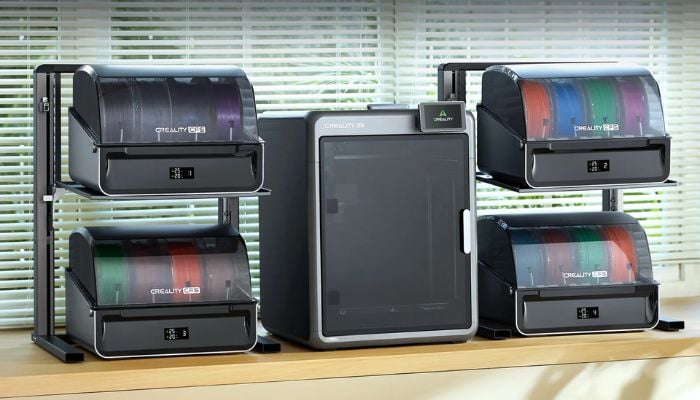
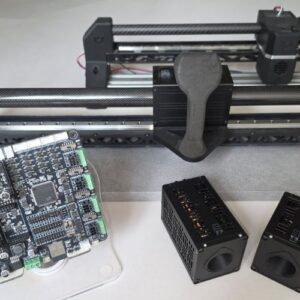
Don’t forget to factor in space for accessories. (Photo Credit: Creality)
What to do instead: Before choosing a 3D printer, pick the spot where your printer will go and measure it, including space for any accessories. Think about who else shares the space and when the printer will be running. If you plan to print materials that produce more fumes, or to use resin, choose a room with good airflow, or budget for an enclosure or air filtration.
Mistake 7: Underrating Ease-of-Use Features
When choosing a printer, it’s tempting to focus on headline specs like print speed and build volume. But for beginners, the features that make a printer easy to use can matter more.
Automatic bed leveling is now standard on most new printers, but many machines go further, with automatic calibration routines that tune settings like flow and vibration compensation before printing. The more a printer handles for you, the fewer things you need to understand before getting good results.
A few other features are worth looking out for:
- Filament runout detection. A sensor pauses the print when a spool runs out, so you can load a new one and carry on instead of losing hours of progress. Power loss recovery works in a similar way if the electricity cuts out mid-print.
- A flexible, removable build plate. Spring steel plates, usually held on magnetically, can be lifted off and flexed so prints pop off easily, without scraping or risking damage to the part.
- Easy filament changes. Simple loading and unloading, ideally guided step by step on screen, makes switching colors or materials much less of a chore.
- Good software. The slicer, which turns 3D models into instructions for the printer, has a big impact on your experience. Look for ready-made profiles for your printer and materials, so you can get good results without tweaking dozens of settings.
- Remote monitoring. An app or web interface lets you start and check prints from your phone or computer, and a built-in camera means you can spot problems without staying next to the machine.
What to do instead: When comparing printers, ask how much work each machine will take day to day. How much of the setup and calibration is automatic? What happens if the filament runs out? How easy is the software to use? Hands-on reviews are the best way to find out.
Mistake 8: Ignoring After-Sales Support
Even the most reliable printer may eventually need help. Check the warranty and whether customer service is responsive and available in your region and language, since this can vary between brands and countries. Look into spare parts too: some printers use standard components sold by many suppliers, while others rely on parts only the manufacturer sells. Either can work, as long as parts are easy to get where you live.
Good documentation and an active user community also go a long way. Clear guides and troubleshooting articles help you solve problems yourself, and popular printers tend to have large online communities sharing settings, tips and fixes.
What to do instead: Research the brand as well as the printer. Check the warranty terms, local support and spare parts availability, and how active the user community is. A printer with a strong support network behind it can be worth paying a little more for.
Mistake 9: Relying on Spec Sheets Instead of Independent Reviews
Spec sheets are useful for comparing printers, but they don’t tell the whole story. Figures like maximum print speed or layer resolution usually describe what a machine can achieve under ideal conditions. A printer rated for very high speeds may need to slow down for good quality, and sample prints shown in product photos are often carefully tuned to show the machine at its best.
What specs can’t tell you is how a printer feels to use. How long does setup take? How consistent are the results across different materials? How noisy is it, how good is the software, and how does it hold up after weeks of regular printing? These are the questions that shape your experience, and they’re best answered by people who have used the machine.
What to do instead: Use the spec sheet to build a shortlist, then read hands-on reviews before deciding. Look for reviews that test printers over time and with different materials. User forums and community groups are also a good way to spot recurring issues, or confirm that a printer lives up to its reputation.
FAQ about How to Choose a 3D Printer
Is resin or FDM better for a first 3D printer?
It depends on what you want to make. FDM is better for larger objects, functional parts and trying a wide range of materials, while resin is better for small, detailed pieces like miniatures and figurines. Resin printing also involves more post-processing and safety precautions, so FDM is usually the easier first step.
How much should I spend on my first 3D printer?
Capable beginner FDM printers are now available for a few hundred dollars, and many include features that used to be found only on more expensive machines. Beyond the printer, set aside budget for materials, basic tools and, for resin, cleaning and safety supplies. It’s better to compare printers on reliability, ease of use and support than to buy the cheapest option.
Is a 3D printer kit a good idea for beginners?
Kits can be a good choice if you enjoy building and want to understand how your printer works, since assembling it yourself makes maintenance and repairs easier later on. If you want to start printing straight away, a pre-assembled printer is the simpler option. Most popular beginner printers today come fully or mostly assembled.
Is 3D printing hard to learn?
3D printing is much easier to learn than it used to be. Many printers now handle calibration automatically, and slicer software includes ready-made settings for common materials, so beginners can get good results quickly. Learning to design your own models takes more time, but free, beginner-friendly software and millions of ready-to-print models online make it easy to get started. Check out our beginner 3D printer list here.
Have you invested in your first 3D printer yet? Let us know in a comment below or on our LinkedIn and Facebook pages! Don’t forget to sign up for our free weekly Newsletter here, the latest 3D printing news straight to your inbox! You can also find all our videos on our YouTube channel.
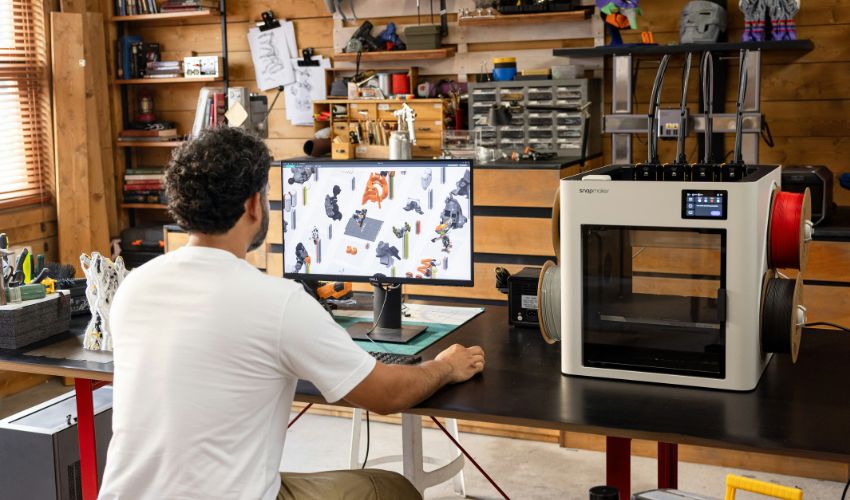
*Cover Photo Credit: Snapmaker 3D Printer on Unsplash







I appreciate your advice. Here, I learned a lot of intriguing things.